Network Checker
I built Pinpoint to help people understand their network privacy. It checks your public IP, detects VPN or Tor usage, and shows potential privacy leaks.
What It Does
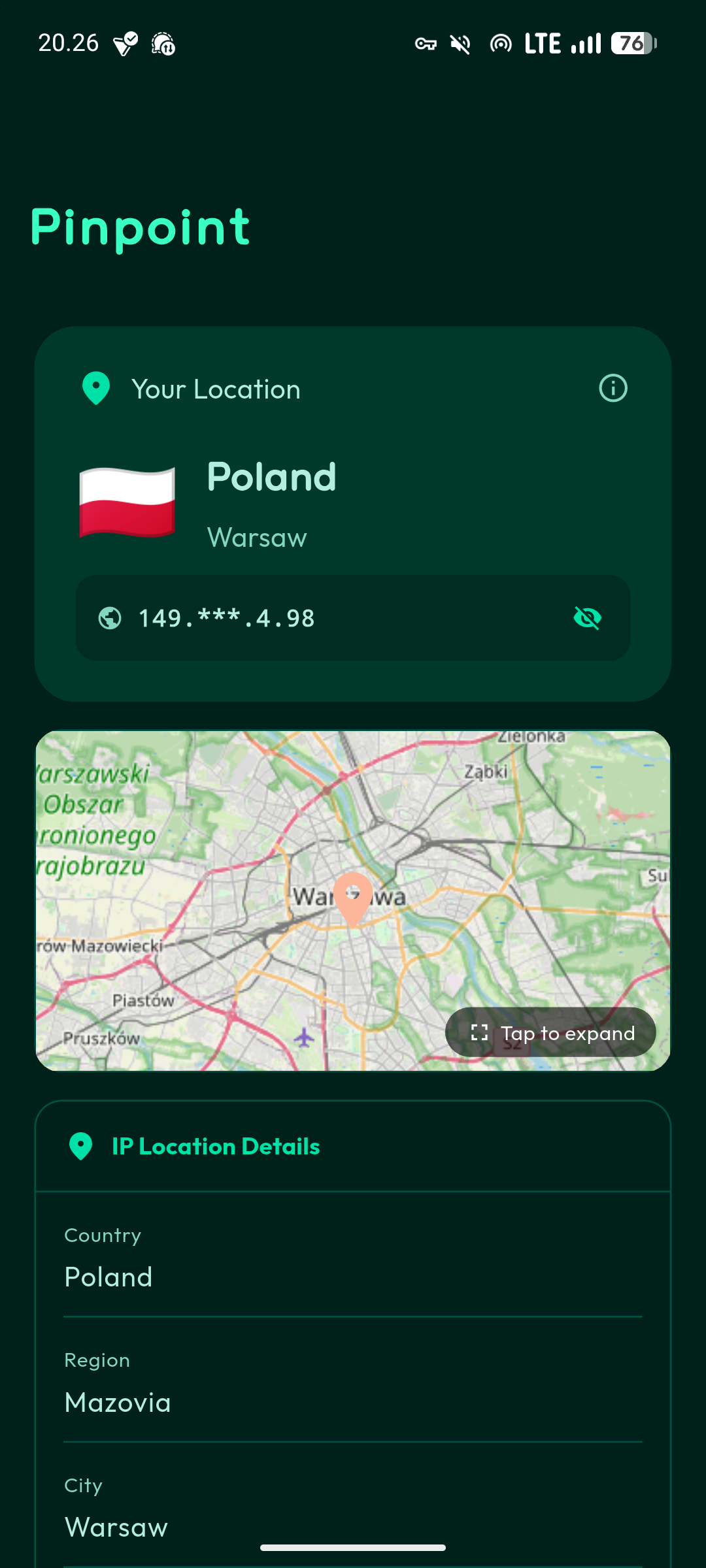
Pinpoint is a network information app that shows you what your device reveals about itself when it connects to the internet. It detects your public IP address with geolocation, identifies whether you’re using a VPN or Tor network, displays your local network interface details, and checks for potential privacy leaks.
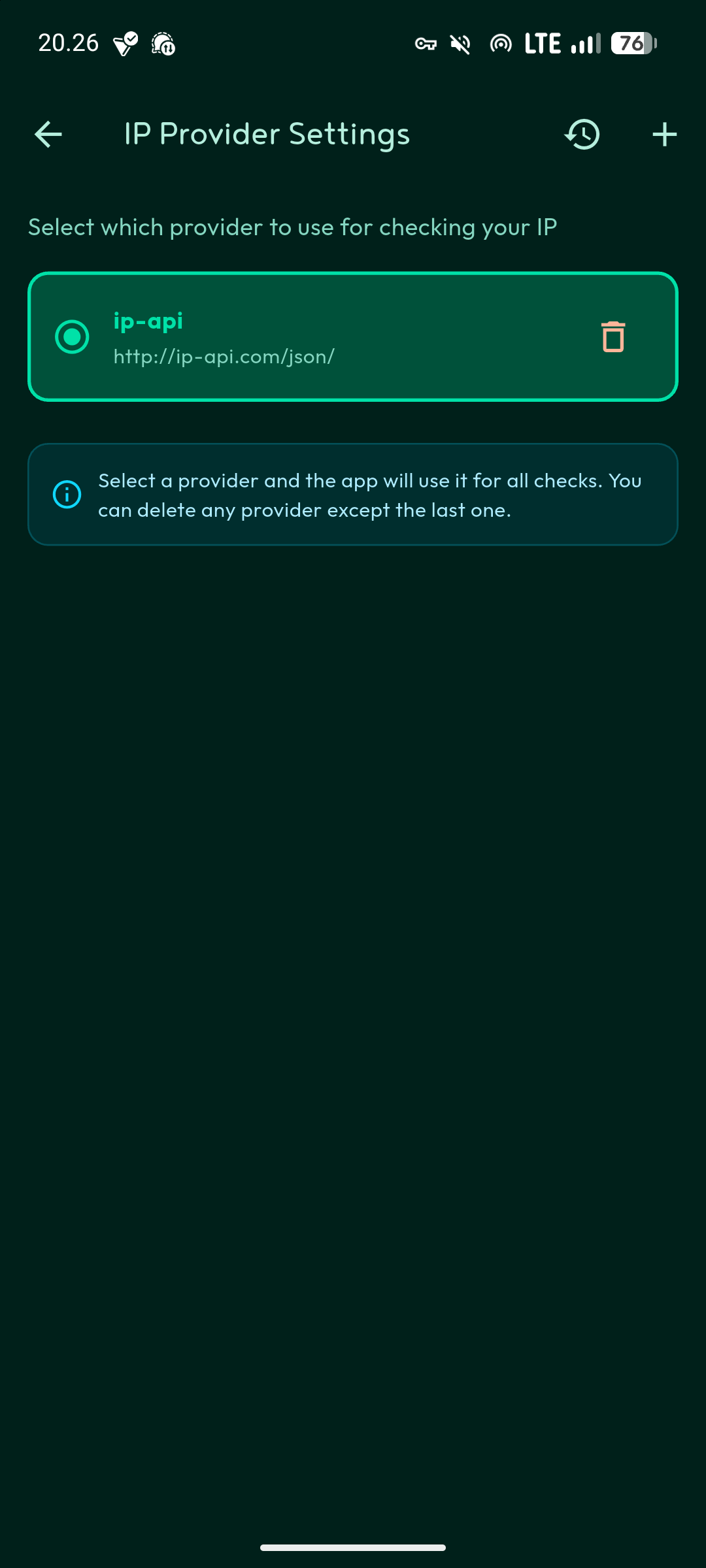
The app lets you add custom IP lookup providers if you prefer specific services. Everything runs locally on your device, so your data stays with you.
Why Network Privacy Matters
When you use a VPN or Tor, you expect privacy. But sometimes these tools leak information through DNS queries, WebRTC, or other channels. Sometimes they just don’t work as expected. Pinpoint helps you verify that your privacy tools are actually protecting you.
The app shows your ISP, organization name, and location based on your public IP. If you’re using a VPN, this information should reflect your VPN provider, not your actual ISP. If it doesn’t, something is leaking.
How Detection Works
Pinpoint uses several methods to detect VPN and Tor usage. For VPNs, it analyzes your ISP and organization name, matches patterns against known VPN providers, identifies hosting providers that VPNs commonly use, and validates your ASN (Autonomous System Number).
For Tor detection, it checks organization names for Tor-related keywords, validates against the Tor Project API, verifies through third-party services, and compares against a database of known Tor ASNs.
These methods aren’t perfect, but they catch most cases. If you’re using a lesser-known VPN or running your own VPN server, the app might not detect it. That’s actually good for privacy, but it means the detection shows what a typical service would see.
Built With Flutter
I chose Flutter because it runs on Android, iOS, and web from a single codebase. The app uses Dart as the language and Material Design 3 for the interface. State management uses StatefulWidget with AutomaticKeepAliveClientMixin to keep network data persistent while switching tabs.
For networking, it uses the HTTP package to query IP lookup services. For storage, SharedPreferences saves your custom provider settings locally. The architecture is straightforward and keeps everything client-side.
Privacy By Design
All processing happens on your device. Pinpoint queries third-party IP lookup services to gather network information, just like any website you visit would. But the app itself doesn’t send data to any server I control. There’s no analytics, no tracking, no data collection.
You can verify this because the code is open source under GPL v3.0. Every network request is visible in the source code. If you don’t trust the default IP lookup providers, you can add your own in settings.
Getting Started
To use Pinpoint, download the latest release from GitHub and install it on your device. For Android, you need API 24 or higher. The app also runs on iOS and web if you build it yourself.
For developers who want to build from source, you need Flutter SDK 3.0 or later. Clone the repository, run flutter pub get to install dependencies, then flutter run to launch the app. To build for production, use flutter build apk for Android, flutter build ios for iOS, or flutter build web for web deployment.
What It Doesn’t Do
Pinpoint shows you information about your network connection. It doesn’t fix privacy leaks, doesn’t provide VPN service, and doesn’t block tracking. It’s a diagnostic tool, not a privacy solution.
If Pinpoint detects a leak while you’re using a VPN, you need to fix your VPN configuration or switch to a better VPN provider. The app just shows you the problem.
Contributing
The project welcomes contributions. If you find bugs, open an issue. If you want to add features that align with the privacy-focused philosophy, submit a pull request. Code should follow Effective Dart guidelines to keep everything consistent and maintainable.
Why I Built This
I built Pinpoint because I wanted a simple way to verify my VPN was working. Most network tools show too much technical detail or require root access. I wanted something clean that answers one question: is my privacy setup actually working?
The app does that. Launch it, check the status, and you know whether your VPN or Tor connection is protecting you or leaking information.