Managing Screen Time and App Usage
I built Threshold to track app usage and manage screen time. Set daily limits, view usage charts, and understand your digital habits.
What It Does
Threshold monitors how much time you spend in each app on your Android device. It tracks usage in real-time with session details, lets you set daily time limits from 5 to 300 minutes per app, shows charts and hourly breakdowns of your usage, and provides home screen widgets in 1x1 and 2x2 sizes.
You can filter out apps you don’t want to track. All data stays on your device with no internet connection required. The app uses device admin protection to prevent uninstallation while limits are active.
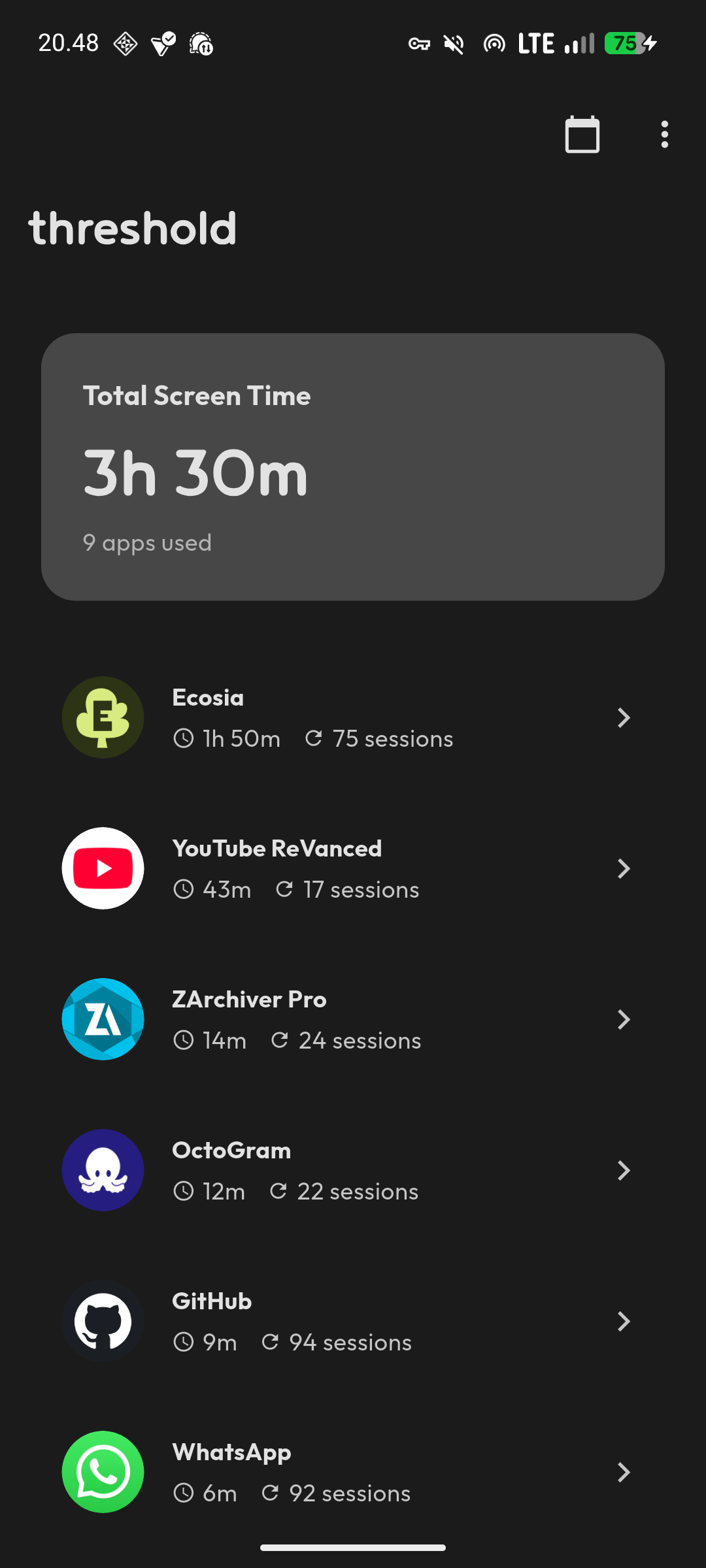
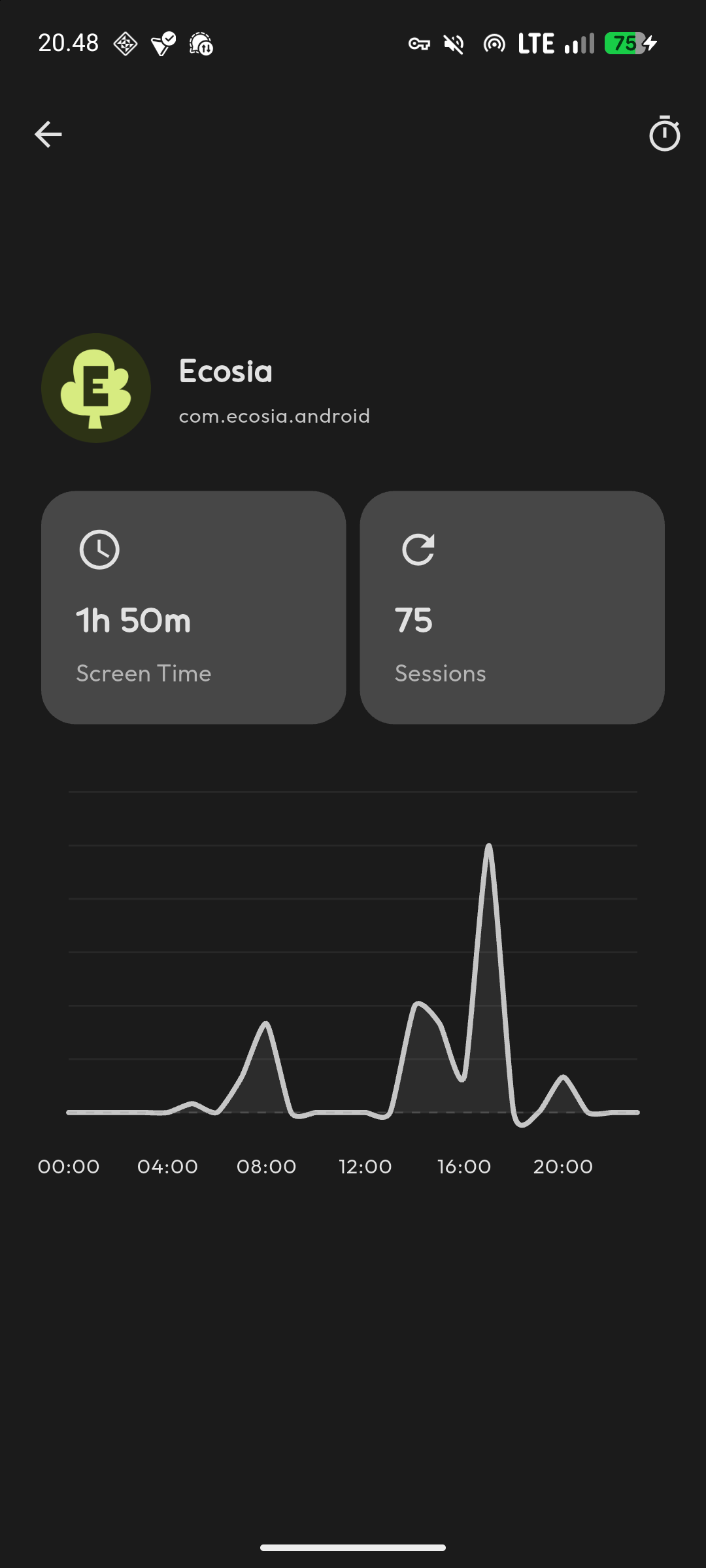
Why I Built It
I wanted to understand where my screen time actually goes. Android has built-in Digital Wellbeing, but I wanted something more focused and with specific features for my needs. So I built Threshold.
The app tracks usage, enforces limits when you set them, and gives you clear data about your habits. It’s inspired by Digital Wellbeing but simplified to focus on what matters—tracking time and setting boundaries.
How It Works
Threshold uses Android’s Usage Access permission to track which apps you use and for how long. The accessibility service monitors app activity and enforces time limits by showing notifications or blocking access when you hit your daily limit.
The app stores all usage data locally using Flutter’s local storage. Charts are built with fl_chart to visualize your usage patterns by day and hour. Home screen widgets give you quick access to your usage stats without opening the app.
Required Permissions
The app needs several Android permissions to function. Usage Access tracks app usage statistics. The Accessibility Service monitors app activity and enforces timers. Display Over Other Apps shows timer notifications on top of other applications. Device Administrator prevents unauthorized removal of the app when limits are active.
All permissions are requested on first launch with explanations of why they’re needed. The app won’t work without these permissions because they’re essential to its core functionality.
Built With Flutter and Kotlin
The UI is built with Flutter using Material Design 3, but the core tracking functionality uses native Kotlin code for deeper Android integration. This hybrid approach gives me Flutter’s cross-platform UI toolkit while accessing Android-specific features that Flutter doesn’t expose directly.
The app targets Android API 24 and above with a target SDK of API 36. It requires Flutter 3.24 or later to build from source.
Setting Limits
When you set a daily limit for an app, Threshold monitors your usage. When you approach the limit, you get notifications. When you hit the limit, the app can block further access depending on how you configure it.
Limits range from 5 to 300 minutes per day. You can set different limits for different apps or remove limits entirely. The filtering system lets you exclude system apps or utilities you don’t want to track.
What It Doesn’t Do
Threshold doesn’t sync data between devices. It doesn’t provide detailed insights beyond time tracking and basic charts. It doesn’t block websites or filter content. It doesn’t have parental controls or remote management features.
It tracks screen time, enforces limits you set, and shows you the data. That’s the scope.
Contributing
The project is open source under GPL v3.0. If you want to contribute features, report bugs, or improve the code, the repository accepts issues and pull requests. Follow Flutter and Dart style guidelines when submitting code.
Privacy
All usage data stays on your device. The app doesn’t connect to the internet, doesn’t send analytics, and doesn’t share your usage patterns with anyone. The code is open source so you can verify this yourself.
The required permissions are extensive because the app needs deep system access to track usage and enforce limits. But that access is used only for the stated functionality.
Building From Source
To build Threshold yourself, you need Flutter SDK, Android Studio or VS Code with Flutter extensions, and an Android device or emulator running API 24 or higher.
Clone the repository, run flutter pub get to install dependencies, then flutter run to launch. For release builds, use flutter build apk –release. The APK will be in build/app/outputs/flutter-apk/.
Why I Use It
I use Threshold to stay aware of how much time I spend in specific apps. Setting a limit on social media apps helps me maintain boundaries. The widget on my home screen keeps the data visible without needing to open an app.
It’s not a perfect solution for everyone, but it works for my needs. If you want to track screen time with straightforward limits and local data storage, it might work for you too.