Tracking Spending and Managing Finances
I built Wallet to track spending and manage finances. Add income and expenses, categorize transactions, view history. Your data stays on your device.
What It Does
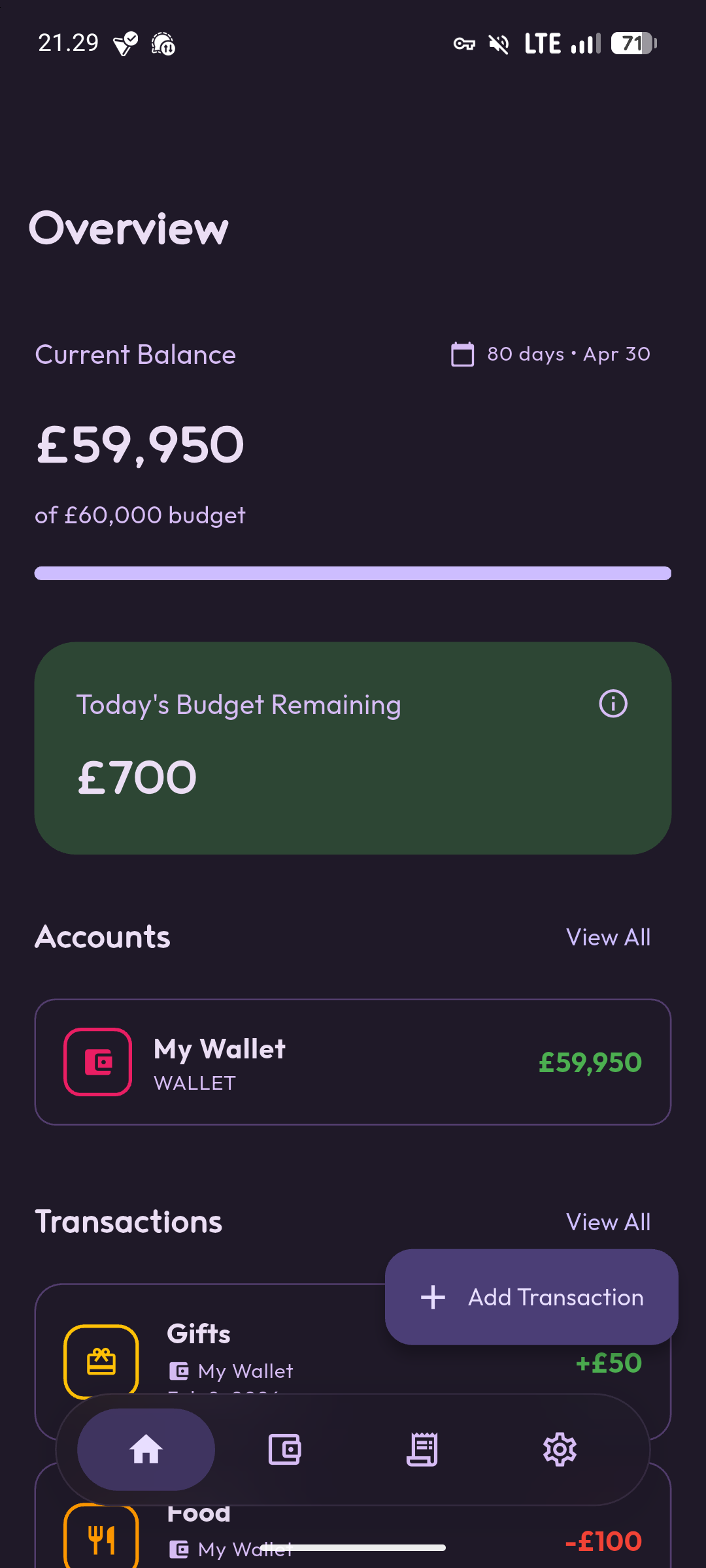
Wallet is a budget management app that tracks your income and expenses. You can add transactions with categories, view your transaction history, see your current balance, and manage everything through a Material Design 3 interface.
The app stores all financial data locally on your device. Nothing syncs to the cloud unless you set up device backups yourself. The interface is available in English and Indonesian.
Why I Built It
I wanted a simple way to track daily spending without connecting to bank accounts, syncing to cloud services, or dealing with complex budgeting features. Just basic income and expense tracking with categories.
Most finance apps want to connect to your bank, analyze your spending patterns, provide investment advice, or sell you financial products. I just wanted to manually log transactions and see where my money goes. So I built Wallet.
How It Works
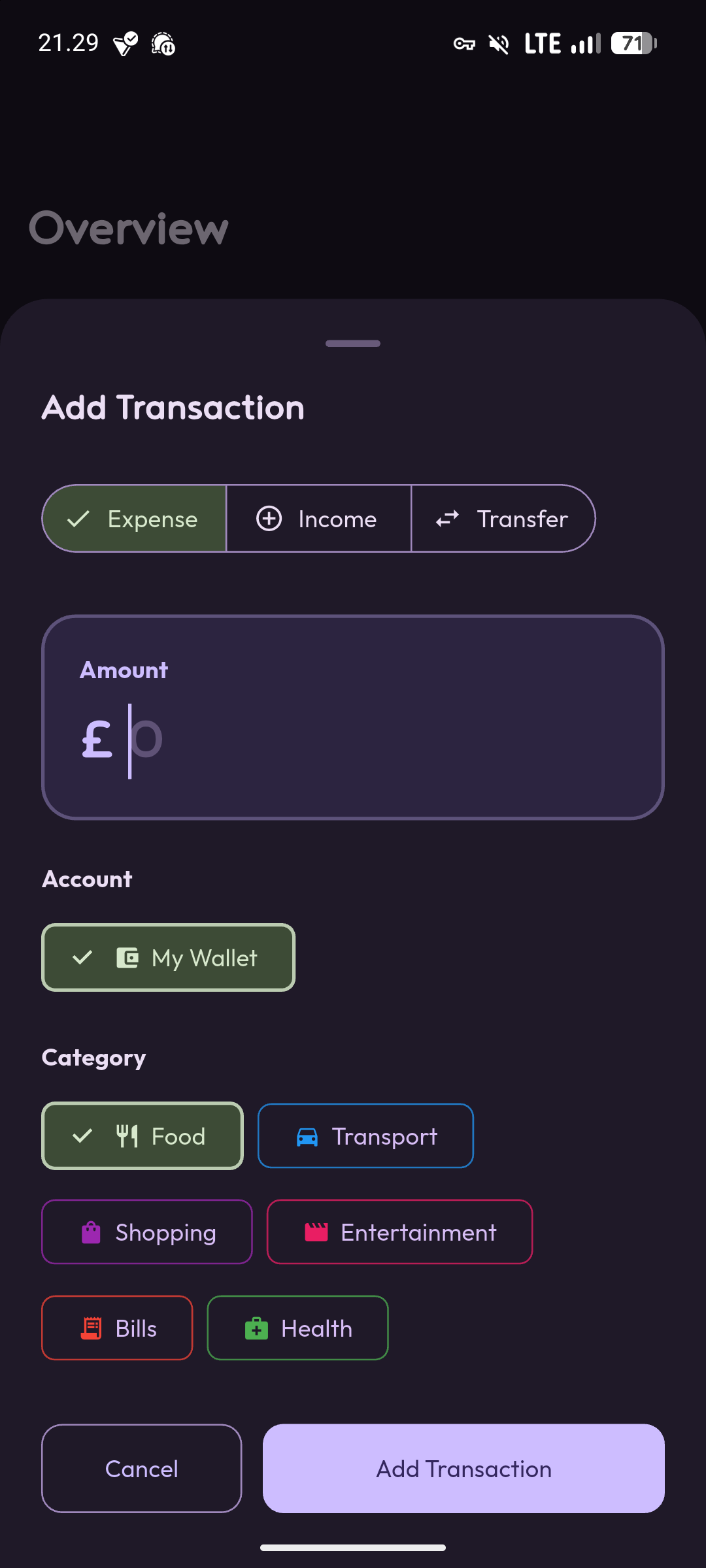
Wallet uses Flutter with Material Design 3 for the interface. When you add a transaction, you specify whether it’s income or an expense, enter the amount, choose a category, and optionally add notes. The transaction gets stored locally on your device.
The app calculates your current balance based on all logged transactions. The transaction history shows your recent activity with categories and amounts. You can edit or delete transactions if you make mistakes.
Categories
The app comes with basic categories for common transaction types. You can organize your spending and income by category to see patterns in your financial activity. The categorization is simple and straightforward without complex budget allocations or spending limits.
If you need custom categories or more detailed categorization, you can modify the app since it’s open source.
Built With Flutter
I used Flutter so the app runs on Android with potential for iOS and other platforms later. The current version targets Android API 24 and above with a target SDK of API 36.
For developers who want to build from source, you need the Flutter SDK, Android Studio or VS Code with Flutter extensions, and an Android device or emulator. Clone the repository, run flutter pub get, then flutter run.
What It Doesn’t Do
Wallet doesn’t connect to your bank accounts. It doesn’t automatically import transactions. It doesn’t provide spending insights, budgeting recommendations, or financial advice. It doesn’t sync between devices. It doesn’t have investment tracking or bill reminders.
It’s manual transaction logging with categories and history. That’s the entire feature set.
Privacy
All financial data stays on your device. The app doesn’t connect to the internet, doesn’t send analytics, and doesn’t share your transaction data. The code is open source under GPL v3.0 so you can verify this yourself.
Since everything is local, you’re responsible for backing up your data if you care about it. Device backups will include the app’s data, but there’s no built-in export or cloud backup feature.
Localization
The app is available in English and Indonesian. If you want to add more languages, the project welcomes translation contributions. The strings are in standard Flutter localization files, so adding languages follows the typical Flutter internationalization process.
Contributing
The project accepts contributions. If you want to add features, fix bugs, help with translations, or improve the code, the repository is open for issues and pull requests.
Why I Use It
I use Wallet for manual expense tracking when I want to be more conscious about spending. Logging each transaction manually makes me more aware of where money goes compared to automated tracking.
It’s not a replacement for comprehensive financial management tools. It’s a simple tracker for people who want manual control over their financial data without cloud services or automatic imports.
If that’s what you need, it works. If you want automation and insights, look for apps with those features.